2026 edition · Amazon US best sellers cross-checked
The best robot vacuum and mop combos, ranked honestly
No spec-sheet worship. We pulled the top-selling robot vacuum and mop combos on Amazon US, kept the ones with real review volume behind their ratings, and cross-checked the long-term owner threads on Reddit where the dock smells, tangled brushrolls and firmware gripes actually surface. Six made the list — from a $300 self-emptying budget pick to docks that wash and dry the mop for you.
Best for: Mixed hardwood and carpet homes that want to stop thinking about floors
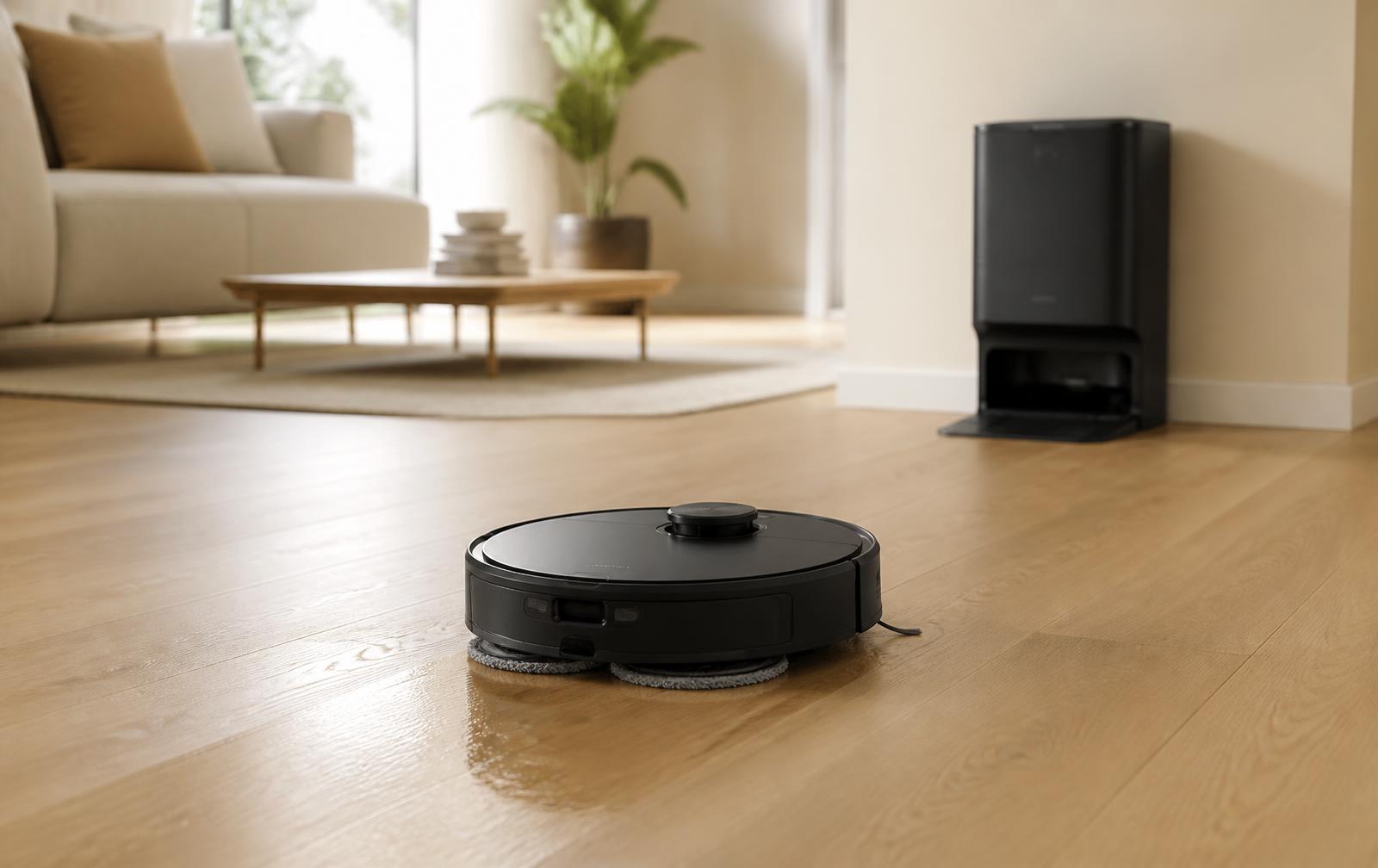
This is the one to buy if you want the whole job automated. 12,000Pa handles carpet and pet hair, the FlexiArm mop swings out to reach baseboards instead of leaving a dusty border, and the dock empties the bin, washes the pads and hot-air dries them so the dock never smells. The mop also lifts 10mm on carpet, so you are not choosing between vacuuming and mopping.
Pros
Dock empties, washes and hot-air dries with no input from you
Edge-reaching mop arm actually cleans along baseboards
10mm mop lift means one run does carpet and hard floor
Low-profile body clears most sofas and beds
Cons
Obstacle avoidance still misses thin cables sometimes
Dock is bulky and needs a permanent spot near an outlet
Consumables (bags, pads, filters) are Roborock-priced
What owners actually say: Roborock is the default answer in r/RobotVacuums and this is the current sweet-spot model. The honest gripe in threads is that camera-based obstacle avoidance still eats the occasional charging cable, and the app pushes a lot of upsells.
Ready to look at the roborock? Prices move weekly on Amazon.
Best for: Kitchens, tile and anyone whose real problem is sticky floors, not dust
Pad-based robots eventually smear. This one uses a 10.6-inch roller that rinses itself continuously while it cleans, so it is always scrubbing with clean water — which is why it is the pick for kitchens, entryways and homes with kids. The roller also extends past the body to reach baseboards, and 30,000Pa of airflow means it is no slouch on carpet either.
Pros
Roller self-washes as it mops — no dirty-pad smearing
Extends past the body to scrub along baseboards
Very high airflow, so carpets are not an afterthought
Strong anti-tangle system for long hair and pet hair
Cons
Newer model, so long-term reliability data is thin
Big dock — measure your space first
Priciest option here at list price
What owners actually say: Roller-mop owners are the most enthusiastic group in the category — the consistent line is that it is the first robot mop that genuinely replaced hand mopping. The trade-off people flag is a larger dock and more moving parts than pad systems.
Ready to look at the ECOVACS? Prices move weekly on Amazon.
Best for: Anyone who wants the full self-cleaning dock experience without flagship pricing
Dreame's play is simple: give you the features the expensive robots have, for less. You get 25,000Pa, a side brush and mop that physically extend into corners, 10.5mm mop lifting for carpet, and an all-in-one dock that empties and washes. It is the pick when the premium models feel like too much money for the same job.
Pros
Extending brush and mop genuinely clean corners
Full self-empty and self-wash dock at a mid-range price
231-minute quiet-mode runtime covers big floorplans
Four separate carpet modes, including full avoidance
Cons
App and firmware are less polished than Roborock's
Smaller US support and parts network
Obstacle avoidance is good, not class-leading
What owners actually say: Dreame gets recommended constantly as the value alternative to Roborock and owners rate the cleaning highly. The recurring caveat is firmware and app polish — updates occasionally change behaviour, and US support is thinner than the big brands.
Ready to look at the dreame? Prices move weekly on Amazon.
Why it wins: LiDAR mapping and a 90-day self-emptying base for a fraction of flagship money.
Tikom · 6,000Pa (Budget)
BudgetSelf-empty onlyBasic pad, manual rinse
4.4(920+ ratings)4.4 out of 5 stars on Amazon
Our score 8.9/10
Best for: First-time buyers, apartments and mostly-hard-floor homes
The honest budget answer. You get the two things that actually matter day to day — proper LiDAR mapping so it cleans in rows instead of bouncing around, and a base that empties itself for about 90 days. The mopping is a damp pad you rinse yourself, which is fine for maintenance passes and not fine for sticky kitchen floors.
Pros
LiDAR mapping and no-go zones at a budget price
Self-emptying base holds around 90 days of debris
Highest star rating on this page
Simple app that does not nag you to upgrade
Cons
Mop pad needs rinsing by hand — no self-wash dock
6,000Pa is weaker than the premium picks on deep carpet
You remove the mop holder before carpet runs
What owners actually say: Budget threads keep landing here for the same reason: it does 80% of what a $900 robot does for a third of the price. Owners are clear that the mop is a bonus, not the reason to buy it.
Ready to look at the Tikom? Prices move weekly on Amazon.
Best for: Carpet-heavy homes and buyers who want a brand with a long service history
The safe pick. Matrix Clean makes it cover floors in a grid with multiple passes rather than a single lap, which is why it does well on carpet, and the self-cleaning brushroll is genuinely good with long hair. The base is bagless — no consumable bags ever — but the mop is a vibrating pad you wash yourself, so treat mopping as light maintenance.
Pros
Bagless base — no replacement bags to buy, ever
Matrix grid cleaning is genuinely better on carpet
Self-cleaning brushroll handles long hair well
By far the largest review base on this page
Cons
Sonic pad mopping is basic and needs manual washing
No mop auto-lift — plan zones carefully
App connectivity is the most-reported annoyance
What owners actually say: Shark owners praise the carpet pickup and the fact that support answers the phone. The complaints are consistent too: the mop is the weakest part, and app connectivity drops more often than on the Chinese flagships.
Ready to look at the Shark? Prices move weekly on Amazon.
Best for: People who want it to work out of the box and never open a settings menu
If the last thing you want is a hobby, buy this one. Setup is the fastest here, the app is the clearest, and the AutoWash dock empties the bin and washes and dries the spinning mop pads. Self-emptying runs about 75 days. iRobot does not publish Pa figures, and on paper it looks weaker than the 25,000Pa specs — in practice the gap is far smaller than the numbers suggest.
Pros
Easiest setup and clearest app of any pick here
AutoWash dock washes and dries the mop pads
Dual spinning pads with SmartScrub for stuck-on messes
Best consumer support and parts availability
Cons
No published Pa figure, so it is hard to compare on paper
Fewer power-user settings than Roborock or Dreame
Consumables cost more than third-party alternatives
What owners actually say: The recurring theme in r/roomba is reliability and support rather than raw specs — people keep these for years. The counter-argument you will see is that Chinese flagships offer more features per dollar.
Ready to look at the iRobot? Prices move weekly on Amazon.
Suction and runtime figures are manufacturer-stated, and Pa numbers are not directly comparable across brands — Shark and iRobot do not publish them at all. Tap a card to check current pricing on Amazon.
Our score isn't the Amazon star rating. Stars measure how happy buyers were on the day they reviewed — often marked down for price, a failed delivery or a fiddly first setup. Our score weighs use-case fit, features you get without ongoing hassle, long-term reliability and value. That's why a 4.0-star product can still be a sensible buy, and why a 4.4-star budget model doesn't automatically top the list.
Sales rank first
We started from the Amazon US best sellers for robot vacuum and mop combos, not from press releases. Every pick is something people are actually buying, running daily and reviewing.
Cover every budget
"Robot vacuum and mop" spans $250 and $1,200 machines that do genuinely different jobs. The list deliberately includes a budget self-emptying model as well as full self-wash docks, so you can see what the extra money actually buys.
Dock weighting
The dock decides how often you touch the thing. Models that empty, wash and dry the mop by themselves were pushed up, because a robot you have to rinse by hand every run stops getting used by week three.
Owner threads
We read the long-term complaint threads — mildew smell in the dock, tangled brushrolls, firmware updates changing behaviour, obstacle avoidance eating cables — and those went straight into the cons.
Self-wash dock vs self-empty only: the decision that matters
Forget suction numbers for a minute. The single spec that decides whether you still love this thing in six months is the dock. A self-empty base means you never empty a bin; a self-wash dock means you never rinse a filthy mop pad in the sink. That second step is the one people quietly stop doing — and a robot whose mop never gets used is just an expensive vacuum.
Dock type comparison
Dock type
Models on this page
What you still do by hand
Good for
Watch out for
Self-empty only
Tikom L8000 Plus, Shark Matrix Plus
Rinse and dry the mop pad after every mopping run
Mostly-carpet homes, tight budgets, light mopping
The mop quietly stops getting used once rinsing gets old
Self-wash dock
roborock Qrevo S5V, ECOVACS T90 PRO Omni, dreame L40 Ultra Gen 2, Roomba Plus 405
Refill clean water, empty dirty water, change the bag every few weeks
Hard floors, kitchens, pets, kids — anywhere mopping is the point
Bigger dock footprint, and it needs hot-air drying or it will smell
Buy a self-empty-only model if…
Most of your floor is carpet and mopping is an occasional job.
You want to spend the least money that still buys LiDAR mapping.
You have nowhere to put a large dock.
You genuinely don't mind rinsing a pad in the laundry sink.
These are consumable machines. Bags, pads, brushes and filters are the real ongoing cost, and the premium docks with detergent dispensers cost the most to feed. Typical US annual ranges:
Dock dust bags — $20 to $50/year
A 3-pack runs $15–$25 and most homes get through four to eight bags a year. Bagless bases like Shark's skip this cost entirely, at the price of emptying a bin yourself.
Mop pads — $0 to $30/year
Most pads are washable and last months if you machine-wash them. Budget for one replacement set a year if you mop daily, or nothing at all if you rotate the included pads.
Side brushes — $10 to $30/year
The cheapest and most-neglected part. Bent bristles stop flicking debris into the path, so replacing them two to four times a year makes a visible difference.
Main roller brush — $15 to $50/year
One or two a year in a house with long hair or pets. Anti-tangle rollers stretch this out, but nothing lasts forever with hair wrapped around it.
Filters — $10 to $40/year
Two to four a year. Rinsing helps but does not restore airflow — a clogged filter is the most common reason suction 'suddenly' drops.
Detergent — $60 to $100/year
Only on docks with auto-detergent dispensing. Optional on most, and plain water plus regular pad washing is fine unless your floors are genuinely greasy.
Realistic totals
Budget self-empty models land around $40–$80 a year in consumables; full self-wash docks with detergent run $130–$220. Worth knowing before you compare sticker prices.
Does a robot mop actually clean, or just push dirt around?
It depends on the system. A damp pad dragged behind the robot is a maintenance wipe — fine for dust and light footprints, useless on dried spills. Spinning pads with downward pressure and self-washing rollers genuinely scrub, and a roller that rinses itself while it works is the only type that never re-applies dirty water. If sticky floors are your actual problem, that distinction matters more than any suction figure.
Do I still need to vacuum or mop by hand?
Less often, but yes. Robots handle open floor extremely well and struggle with tight corners behind furniture, stairs, and anything they cannot physically fit under. Most owners settle into letting the robot run daily and doing a proper manual pass every few weeks.
Is higher Pa always better?
No, and Pa numbers are not comparable across brands. Manufacturers measure them differently, and Shark and iRobot do not publish them at all yet clean carpet perfectly well. Brush design, airflow sealing and how many passes the robot makes matter as much as the headline figure.
Will it wreck my carpet or rug by mopping it?
Not if it lifts the mop. Every self-wash pick here raises the pads roughly 10mm when it detects carpet. Budget models without lifting need you to either remove the mop attachment before a carpet run or draw a no-mop zone in the app — that manual step is the real cost of a cheaper model.
How well do they handle pet hair and long hair?
Far better than a few years ago. Anti-tangle rollers with comb-like blades cut hair as it winds, which stops the weekly scissors ritual. No robot is completely tangle-free with very long human hair, so expect to check the roller occasionally regardless of the marketing.
Will it get stuck on cables, socks and pet mess?
Sometimes. Camera-based obstacle avoidance has improved a lot and pet-waste avoidance is genuinely reliable on the better systems, but thin black charging cables on dark floors remain the classic failure. Ten minutes of tidying before the first few runs saves a lot of grief.
Do the docks smell?
They can, and this is the most common long-term complaint. A dock that hot-air dries the pads after washing largely solves it. On models without drying, the fix is emptying the dirty-water tank promptly and washing pads separately — leave a wet pad sitting in a dock for two days and you will smell it.
How much floor space does the dock need?
More than people expect. Self-wash docks are tall and want clearance either side plus a straight run in front so the robot can approach cleanly. Measure the spot before you buy — a dock crammed into a corner causes docking errors that get blamed on the robot.
Can it clean multiple floors?
It can map several floors, but it cannot carry itself up stairs. You move the robot and it recognises the saved map. On self-wash models you either move the dock too, or accept that the robot on the second floor runs without washing until you bring it back down.
Do these need Wi-Fi, and do they work without it?
They need 2.4GHz Wi-Fi for setup, mapping, scheduling and app control. Most will still run a basic clean from the button on the robot if the internet drops, but you lose zones, schedules and maps. Check signal strength where the dock lives, not just where your router is.
How low do they go under furniture?
Most sit around 9–10cm tall, and the LiDAR turret is what usually blocks them. Measure the clearance under your sofa and bed before buying — if it is under 10cm, look specifically at a low-profile or turret-free model rather than hoping.
How long do they last, and are parts easy to get?
Three to five years is a realistic lifespan with consumables replaced on schedule; batteries are usually the first thing to fade. Parts availability is a genuine differentiator — the big brands stock spares for years, and third-party consumable kits are cheap and widely available for the popular models.
Are the cheap no-name models on Amazon worth it?
The ones with real LiDAR mapping and thousands of ratings can be excellent value. The ones with random bump-around navigation are the ones people regret — they miss areas, take forever and get stuck. Mapping is the feature worth paying for at the budget end, not suction.
How quickly will I notice the difference?
Almost immediately. Most owners run the first full map on day one and say the floors stay visibly cleaner from the first week, because a daily pass beats a thorough weekly clean. The models here are current, in stock and covered by Amazon returns, so there is no benefit in putting the decision off.